
Deep: How Stripe builds prototypes in the browser
Vibe coding in practice: What the world’s top companies are actually building internally. Examples from Stripe, Shopify, Cursor, Figma and more.
🔒DoP Deep goes deeper into the concepts and ideas that are covered in the Weekly Briefing to help you learn lessons from the experiences of top tech companies. If you’d like to upgrade to receive these in-depth pieces of analysis you can upgrade below. New reports are added every month.
One of the major achievements of vibe coding has been the democratization of building; now, in many of the world’s leading tech companies, building useful stuff isn’t just the domain of engineering; designers, product managers and researchers can all now get their hands dirty to build internal tools that make their lives easier.
For example, DuoLingo shipped an internal tool that lets product managers and designers create their own agents from scratch to manage feature flags, Anthropic says that lawyers are now building their own mini apps and Stripe’s design manager Owen Williams recently built his own AI-powered prototyping tool in his spare time. Now, his team brings interactive prototypes to meetings instead of Figma files.
Stripe’s Owen Williams recently articulated this shift from designing screens towards functional prototypes nicely:
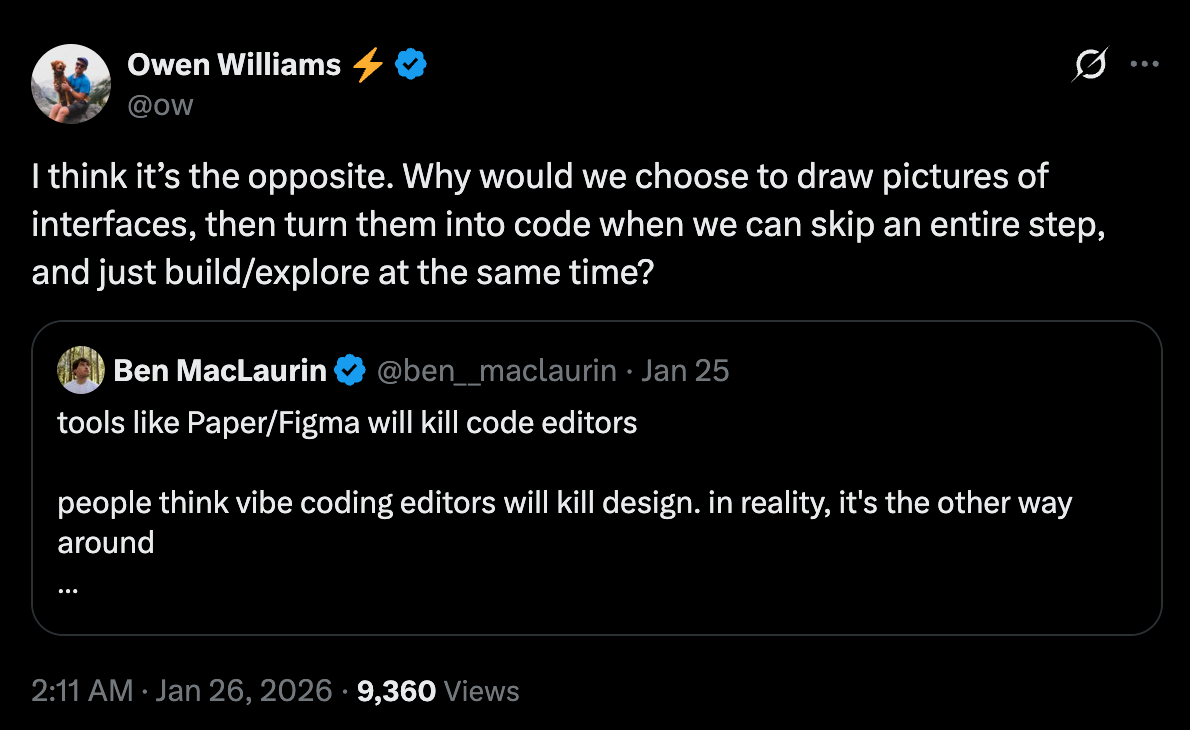
In this Deep Dive, we’ll take a closer look at Stripe’s Protodash, how it works and what impact it potentially has on the design process, plus how other world leading companies are building other internal tools, including a data agent that democratized access to 600 petabytes of company data, the experimental UI that builds custom dashboards on the fly, and the AI project manager that coordinates three dozen agents to maintain client dashboards across Gmail, Calendar, Drive and Sheets.
If you’re curious about the tools and mini apps top companies are vibe coding and building internally then this Deep Dive should help.
Coming up, examples of vibe coding including:
Real examples from Stripe, Shopify, Cloudflare, Notion and more - with detailed breakdowns of how they work, what value they add, and links to learn more.
How Stripe’s design manager built his own AI-powered prototyping tool that lets designers make real-time edits in the browser using actual production components - and why teams are now bringing interactive prototypes instead of Figma files to meetings.
Why Cursor’s internal experiments became external products shipped to millions of users - and what this tells us about using internal tools as a testing ground.
How one company is experimenting with the concept “UI on demand” for its data analysis dashboards
How this Deep Dive is structured
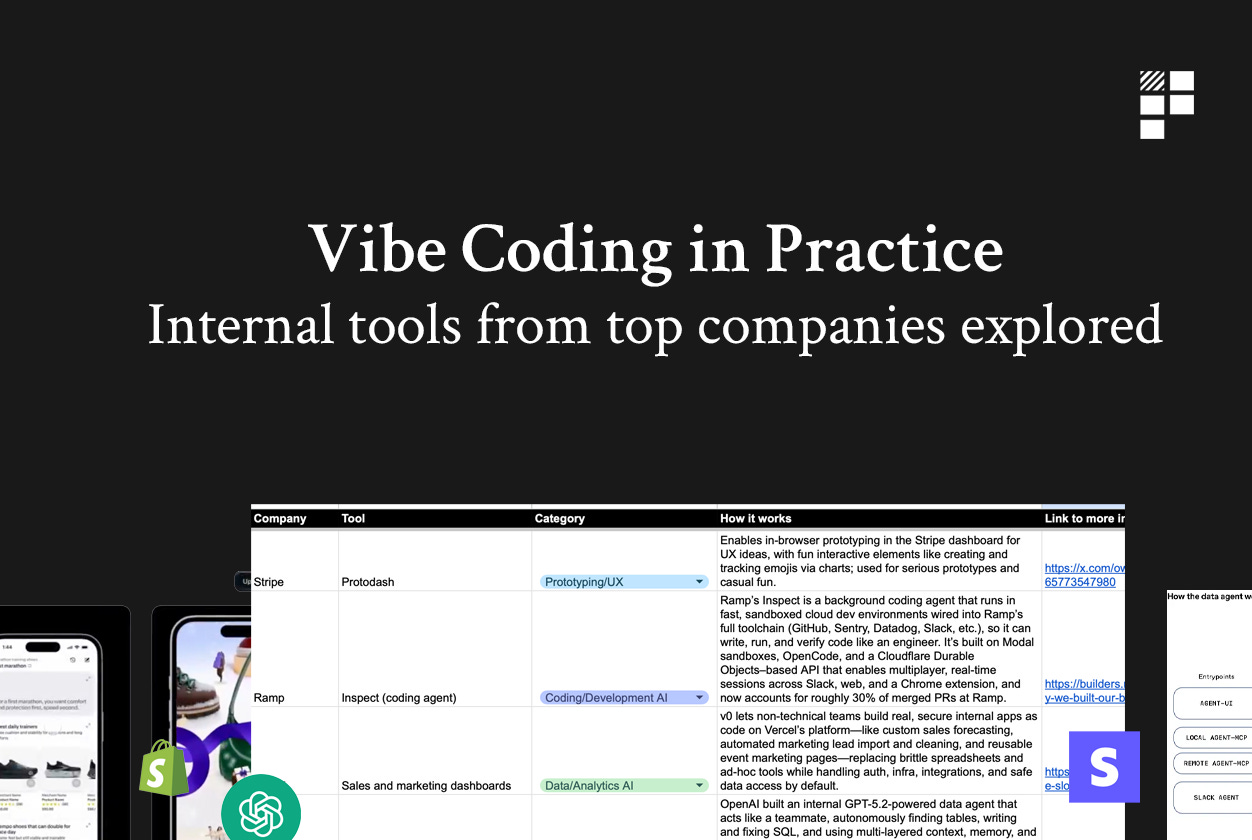
Each of the examples included of internal AI-powered products in this Deep dive is clearly structured across the following dimensions:
Company - we’ll explore examples from various different companies including Stripe, Cursor, OpenAI, Shopify, Notion as well as some other smaller companies you might not be familiar with who are using tools like Claude Code to build powerful internal tools.
Category - each example is neatly with categories that allow you to filter and find what you need.
How it works - a detailed explanation of how the internal tool works and what value it adds.
Link to more info - links for you to find out more information and learn more about the tool, how it works and how it was built.
The categories for each of the internal tool examples include: prototyping and UX, data analysis, coding and development, infrastructure and project management.
And of course, we’ll also explore some key principles and takeaways for product teams for each of the internal tools featured.
Let’s start with Stripe’s Protodash.
Stripe’s Protodash for UX and prototyping
Developed by Stripe’s design manager Owen Williams, Protodash is an internal tool Williams built for rapid in-browser prototyping directly within the company’s dashboard.
It enables quick UX exploration using real data and Stripe’s actual components, reducing friction in ideation and allowing teams to prototype interactively rather than relying solely on static designs like Figma files.
Here’s a video of it in action:
As you can see, it lets designers (or anyone else) specifically select HTML elements on the page and interact with a dedicated AI assistant in the sidepanel to build prototypes in real time. Users can describe what they want to see mocked up and the Assistant will build it out using Stripe’s real component libraries to give designers and product teams a super-realistic view of how a new feature might work.
The tool has been used for both serious experiments (e.g., creating list views with live data) and lighter, fun explorations. It integrates with AI features, such as prompting changes like “make this a gradient” by referencing specific elements for precise modifications. Williams has mentioned it as a way to bring interactive prototypes into discussions, and he’s explored enhancing it with better visualization and LLM handoffs for even faster iterations.
How it was built
This was built by Williams himself and it runs locally on his machine (hence the localhost). He says that he uses it as a way to quickly explore UX ideas and build prototypes in one specific part of the Stripe product: the dashboard (hence the name).
In his words, he built it to bring exploration friction to “zero” and says that in many cases, Stripe’s teams now use this to build interactive prototypes instead of Figma files:
many of our teams now bring interactive prototypes instead of Figma files. It’s so much better to be able to experience the interactive nuances
Williams says that the first version of this tool started as a super simple static website that just emulates the real Stripe dashboard with rules that can be set up and used in Cursor.
In this sense, the tool is extremely light weight and runs in cloud development boxes. There are no dedicated services built for these and Williams says that there’s value in them being disposable to keep them lightweight without long-term commitments to maintenance.
How to build your own version of Protodash to prototype your own product
Looking at Protodash, here’s how a product manager could build their own version using Claude Code.
If we look closely at Protodash, you’ll see that there are 3 core parts to this tool:
The AI Assistant
The UI rendered with components and mock data
The ability to select and edit HTML elements in real time
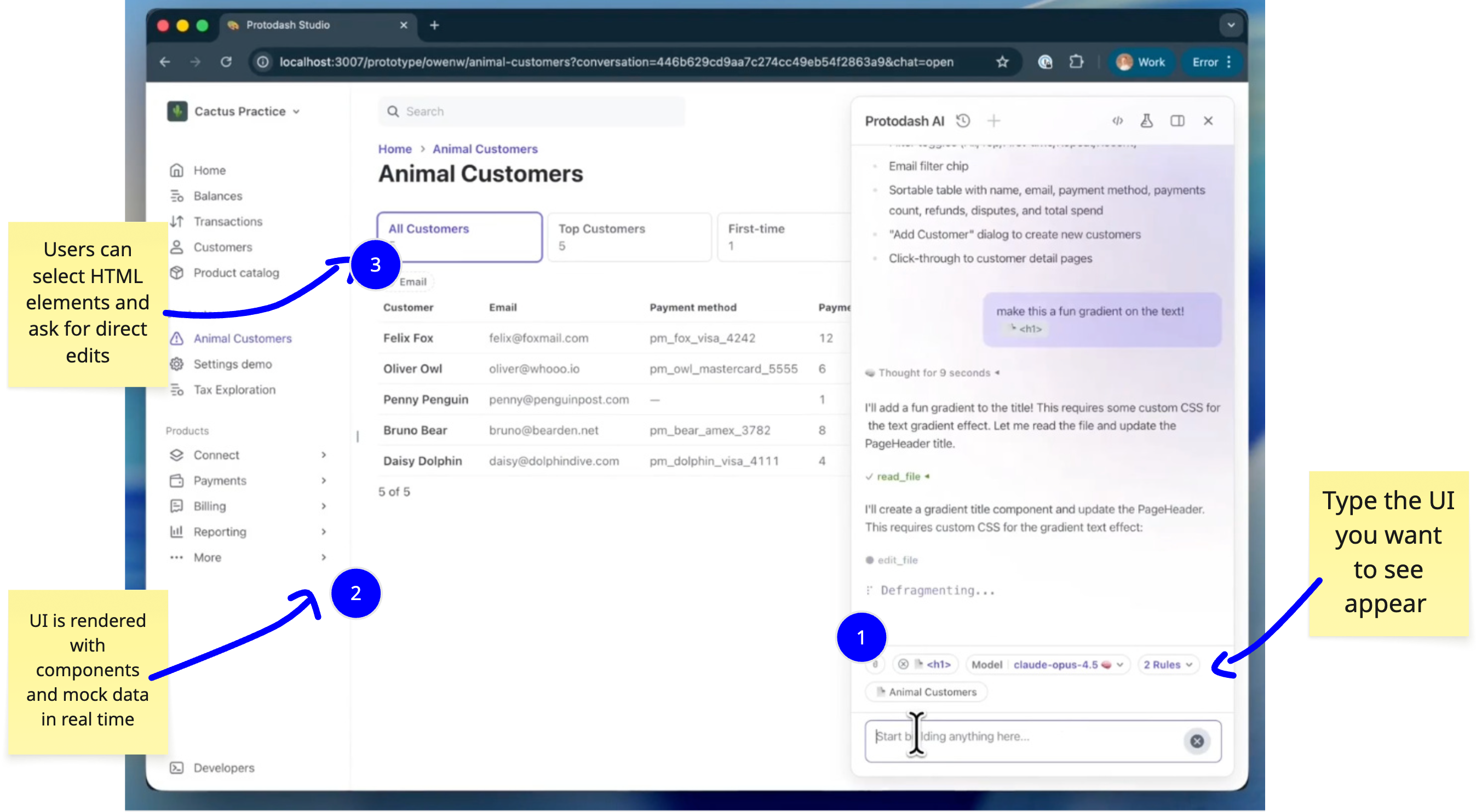
The foundation starts with creating a simple local web application that mimics the part of the product you want this to work on (in this case, the Dashboard but it could be any part of your product). See previous guide on Claude Code here to get familiar with it if you’re new to it.
You’ll want to use your company’s real shared component library, whether that’s React, Vue, or whatever your product team uses. For component libraries that live in a monorepo or separate repository, you can point Claude Code to that codebase. If the components are in a local directory on your machine, Claude can read those files and understand how to use them. The key here is starting simple - just get a basic version of your dashboard running locally first.
Using reverse-prompting to build a version quickly
We can also use reverse prompting to get a version up and running quickly. Reverse prompting is where you provide the output to the model and ask it to create a prompt that would result in the output you want.