
🔒 The Knowledge Series breaks down emerging AI technologies with practical playbooks designed specifically for product teams. Blueprints take a new technology and design the features it makes possible. Get 100+ guides and practical tutorials covering everything from Claude Code and MCP to agentic workflows, vibe coding, and more.
October has been a big month for voice AI. It kicked off on the 1st when Google added Guided Vision to Gemini Live so that its assistant can help users with vision problems find what they need. Also this month, Yelp launched an agent that phones restaurants on your behalf, ElevenLabs added real-time translation to voice calls and this weekend, Block showed off its impressive new Dessa - a new voice model that learned to talk only by listening to recorded conversions.
As a result, new benchmarks have emerged to measure these technologies like Sierra’s 𝜏-Entity which tests voice agents across 200 different tasks (more on that later).
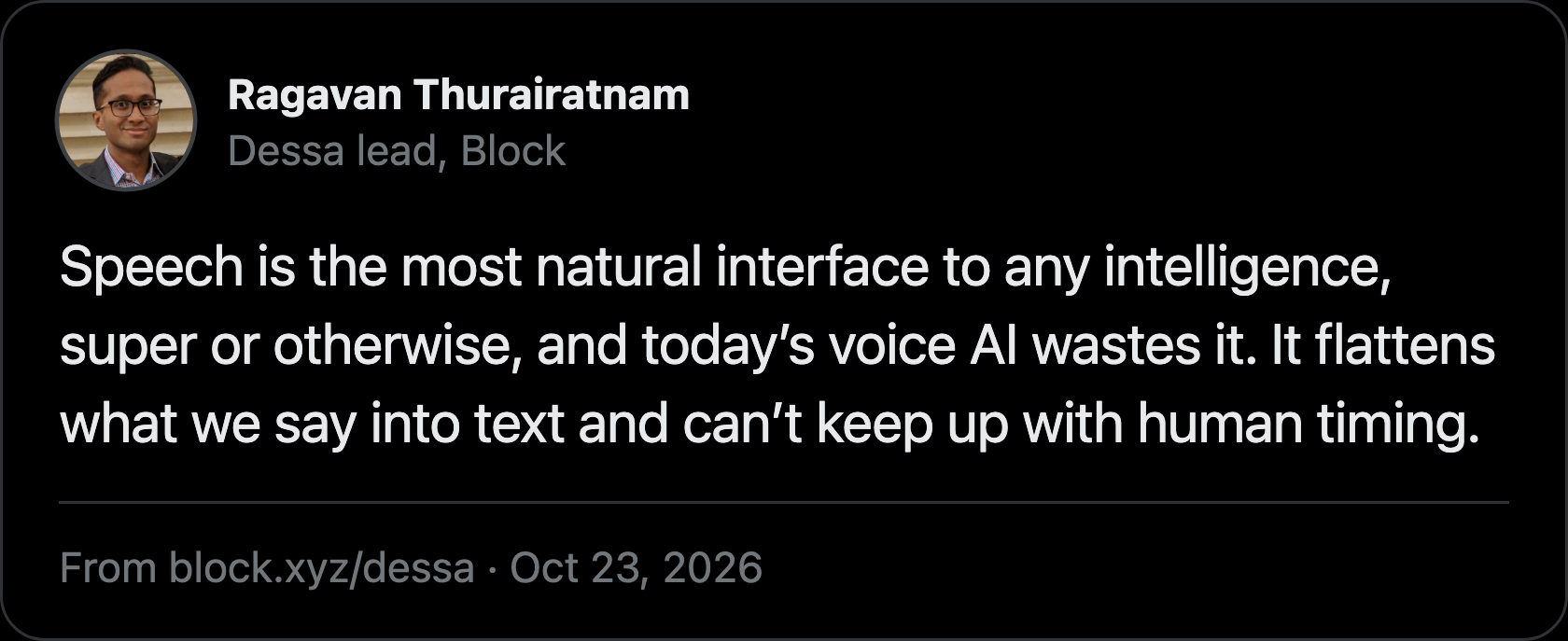
Previous incarnations of voice all suffered from similar problems where you ended up with an experience filled with uncomfortable delays or awkward clashes where it quickly became apparent that you were chatting with a machine. This weekend, as part of the launch of Block’s new Dessa model, Ragavan Thurairatnam, who leads the Dessa team at Block, said that “interacting with current voice AI can just plain suck.”, adding that “speech is the most natural interface to any intelligence.”
To give you a sense of how far things have shifted in the past month, here’s a demo of two new voice AI models, GPT-Live-1 and Dessa, talking to each other with no human involvement at all:
This is a lot to try and keep up with. And so this Knowledge Series is a little different and is the start of a new category called Blueprints which takes one fast emerging technology, explains everything you need to know about it and then gives you a sample of tangible real blueprints of features that you could build with it.
Coming up
In this Blueprint, we’ll take a look at five practical applications of these new voice technologies, including:
Live voice models explained - a closer look at GPT-Live-1, Gemini Live and other new voice models
Five feature idea Blueprints with UI mock ups and videos of how they might work in the real world using Zapier, Ramp, Airbnb and others to bring the technologies to life
Prompts to identify opportunities for using the technologies in your own product

What are live voice models?
Until recently, voice models were essentially three separate steps tied together. The first step would transform speech into text, an LLM would then work out a reply and finally a reply would be read aloud. This inevitably led to delays and if you interrupted it, it would often either ignore you or get confused and lose its place in the conversation.
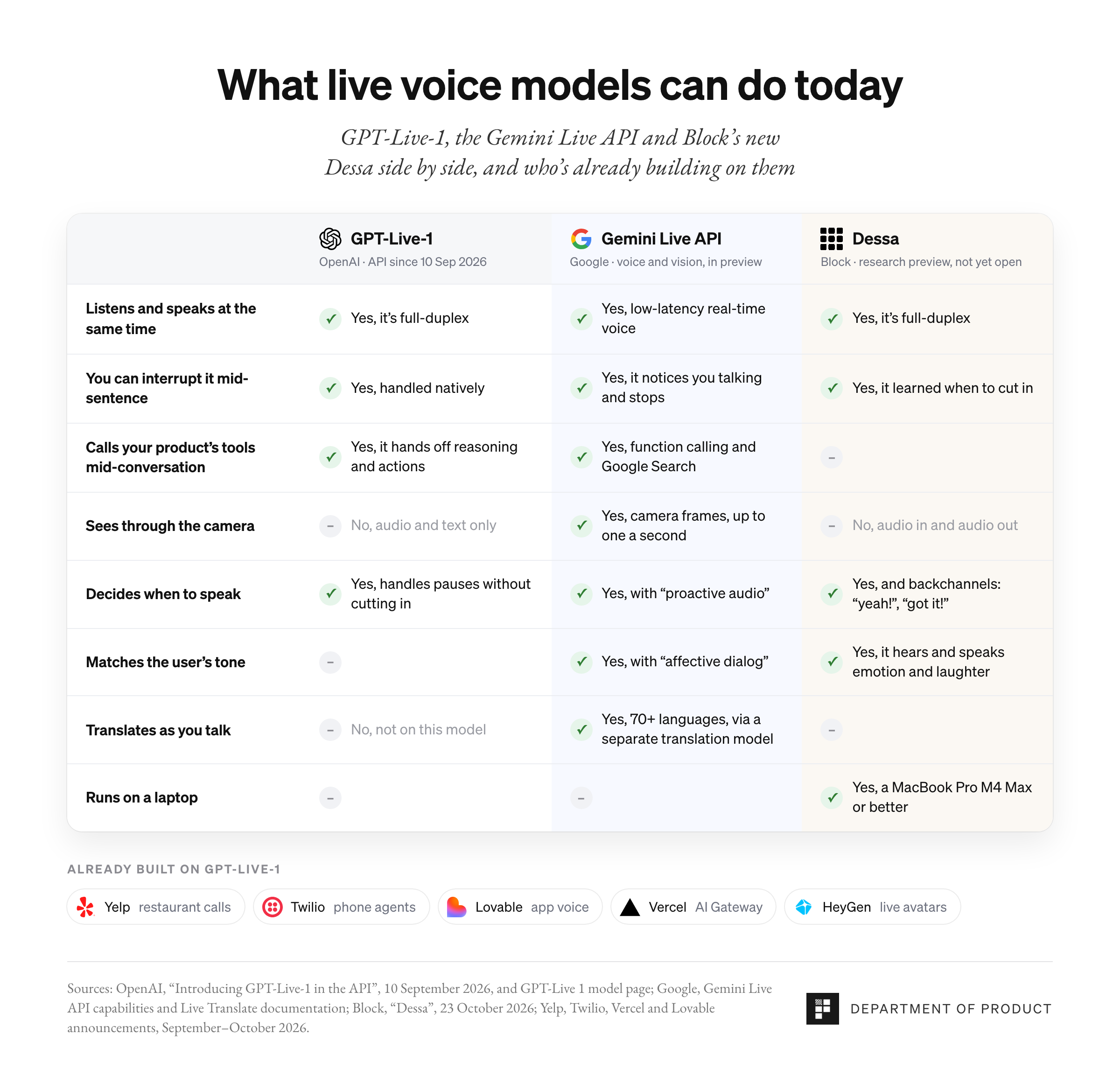
Live models collapse this into a single system that listens and speaks at the same time. OpenAI calls GPT-Live-1 a full-duplex model which means it handles interruptions natively, keeps listening while it talks and hands of reasoning and actions to other models when it needs them. Google’s Live API takes a similar approach with Gemini and adds a continuous stream of images from the camera alongside it.
Here’s a snapshot of the latest set of voice AI models and what you can do for each (as of the time of writing on 26th October):
Why these new capabilities matter to product teams
Within just a few weeks of their launch, several companies have already added them to their feature set. Twilio connected phone calls to GPT-Live-1, Yelp uses it for handling restaurant reservations and Google Docs lets you create new Docs with your voice.
For product teams, these new voice technologies changes how a product can work:
Talking is now an input alongside traditional UI - powerful voice models give teams the confidence to put voice inputs alongside traditional UI to offer an alternative (and sometimes better) experience.
A user’s camera can be context - users can now show a problem to a voice model and an agent will understand what they’re seeing and express it verbally.
Language is no longer a barrier - two different people who speak different languages can now have conversations with live, instant translations. We’ll explore how companies are using them - with some important caveats.
The 5 voice feature Blueprints
Now let’s take a look at the 5 blueprints in more detail, starting with workflow automation and onboarding.
1. Workflow automation and onboarding
For the first time this weekend, something happened that I hadn’t fully experienced before. I was using some accounting software and I had to go through a set process for a specific workflow and as someone who uses Claude Code a lot during the day, I found myself getting frustrated that I wasn’t able to just describe what I wanted to get done instead of having to click through several screens to do it.
There’s a lot of debate about the future of UX right now and this weekend, an A16Z investor distilled his view on the future of interfaces as this:
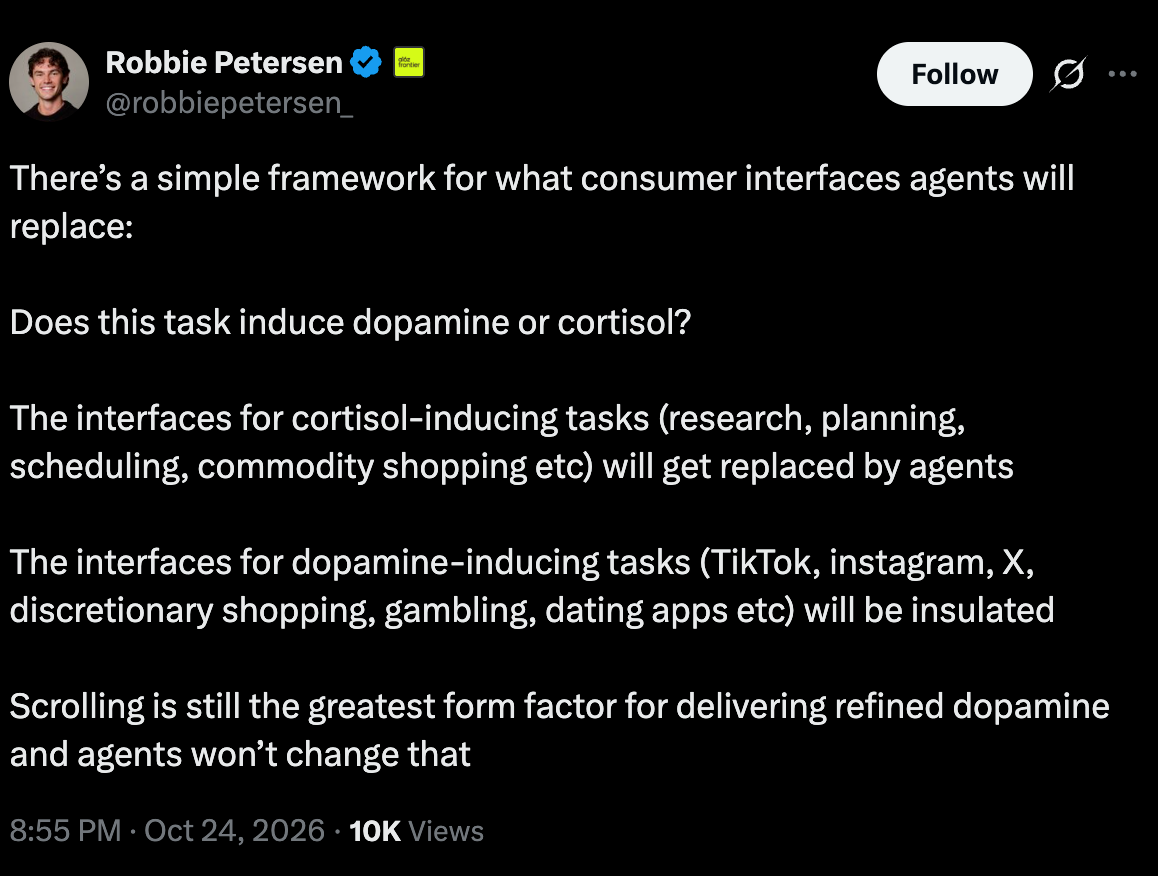
While I disagree with some of his examples of cortisol-inducing tasks here (planning, shopping and research can be fun!), this slightly dystopian idea that we’ll only use software that gives us a rush of dopamine does (unfortunately) make a lot of sense.
Products which involve high friction tasks where a user really doesn’t want to do it unless absolutely necessary are good candidates for handing off to an agent, but this implies that the user is happy to delegate that task in its entirety.
For high risk tasks, relying solely on an agent doesn’t feel safe and this is where adding voice to your product can really help. It assists the user in achieving their goal, allowing them to see the UI update for them without removing human oversight entirely.
Example - using voice to talk through a workflow set up
In this first example, the user opens up a workflow builder and says “send me a summary of new sign-ups every Monday morning.” As they speak, the form fills in automatically without the user having to intervene unless it’s absolutely necessary.
Halfway through the conversation, the user changes their mind saying “actually, make it Fridays” and so the agent stops, updates the schedule and carries on from where it was, with the change still visible on the screen.