
🔒DoP Deep goes deeper into the concepts and ideas that are covered in the Weekly Briefing to help you learn lessons from the experiences of top tech companies. If you’d like to upgrade to receive these in-depth pieces of analysis you can upgrade below. New reports are added every month.
This time last year, when product teams were assessing how to integrate AI agents into their products, many settled on a chatbox and sparkle emoji as execs frantically demanded new AI features at all costs and teams scrambled to build assistants to keep up.
In recent weeks, though, we’ve seen some new examples of how the UX of AI agents is evolving.
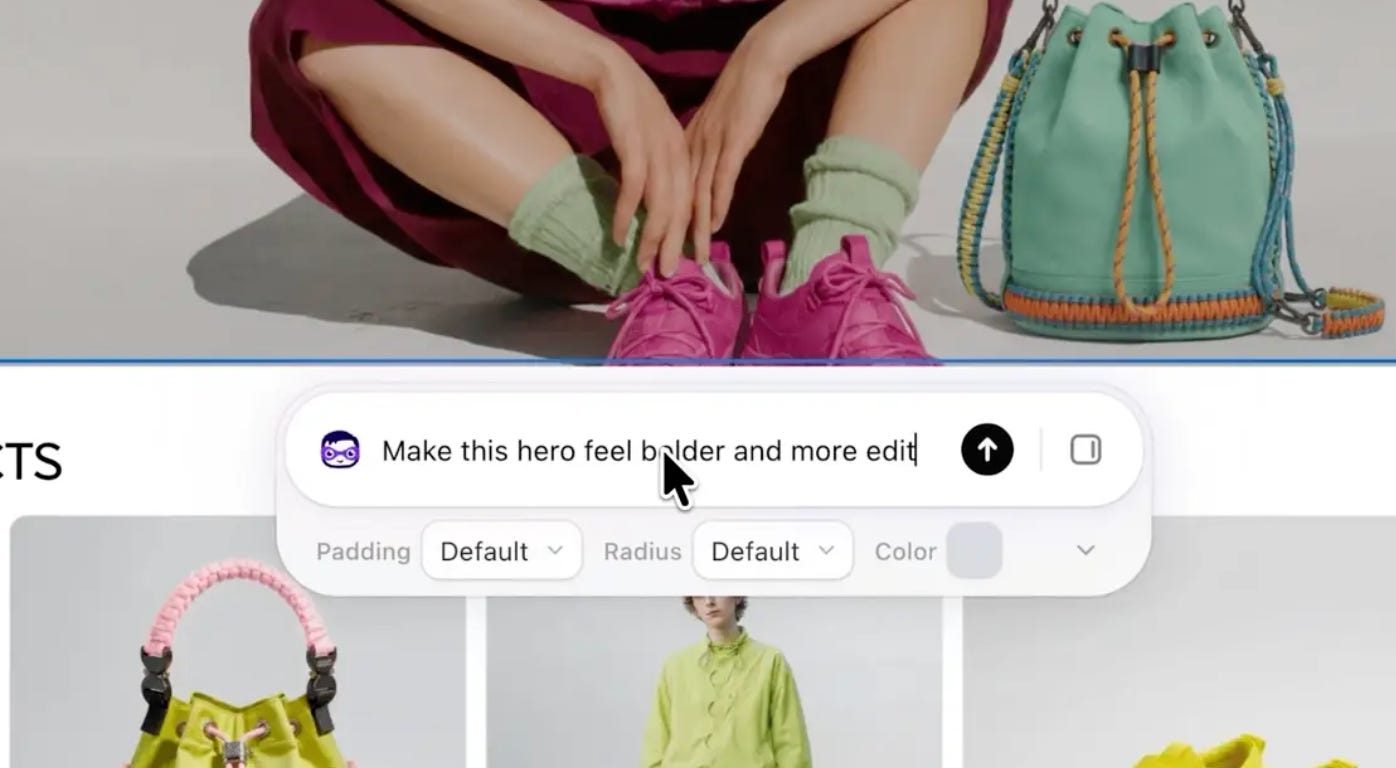
Last week, Shopify shipped its vision of what the future of in-product AI Agent experiences might look like with the rollout of Canvas, where merchants can build their store on one page with Sidekick available throughout the experience as a thought partner:
OpenAI’s latest Dots Agents are a glimpse of what always-on ambient agents can do and payment companies like Stripe seem to be adding new agentic payment abilities every week.
These new capabilities reflect the growing scope of what AI Agents can do; they can remember things about you and your work, take actions on their own, run in the background and now even spend your money.
These new abilities require new UX patterns, and getting the UX right can make the difference between success and failure. In a recent study, for example, Intercom found that only 49% of people have had a positive experience with AI agents, but trust jumps to 74% once they’ve watched one resolve a real query.
And bad UX control is starting to become a security problem. WorkOS reports that attackers are deliberately writing prompts designed to make people click “approve” without reading about the consequences of the agent’s actions.
In a previous Deep Dive we looked at agents as users of your product: headless design, MCP and the rise of agent traffic. This Deep Dive covers the other side by exploring how the best product teams are designing for the real human users who work alongside agents.
Coming up:
40+ real-world UI examples of AI agent UX from 26 leading companies including Anthropic, Shopify, Monday, ElevenLabs, Lovable and DoorDash, grouped into the 7 patterns that are emerging
Why one tech giant is offering a money back guarantee on anything its agent buys by mistake, and what this tells us about agentic payments
All of the examples to download in full, plus 3 prompts for finding agent UX opportunities in your own product

How this Deep Dive is structured
This analysis includes over 40 different UI examples from 26 leading companies including Anthropic, Monday, ElevenLabs, Shopify, Lovable, DoorDash and others.
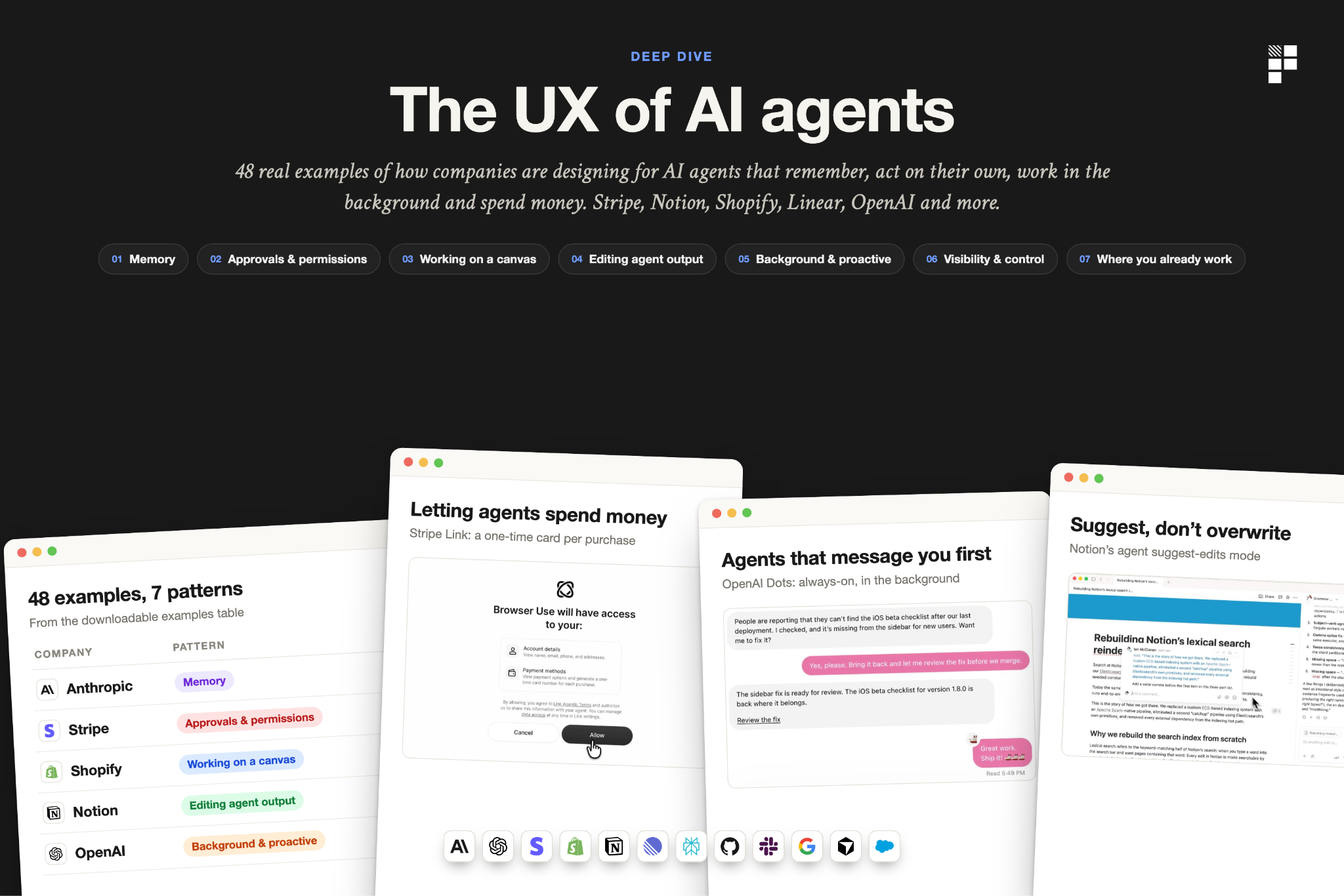
The full table is available to download at the end of this post in HTML, CSV and Markdown, so you can filter it by pattern, sort it, or drop it into your favourite AI tool. Practical prompts are included that will let you use the examples and a basis for identifying opportunities for your own product, too.
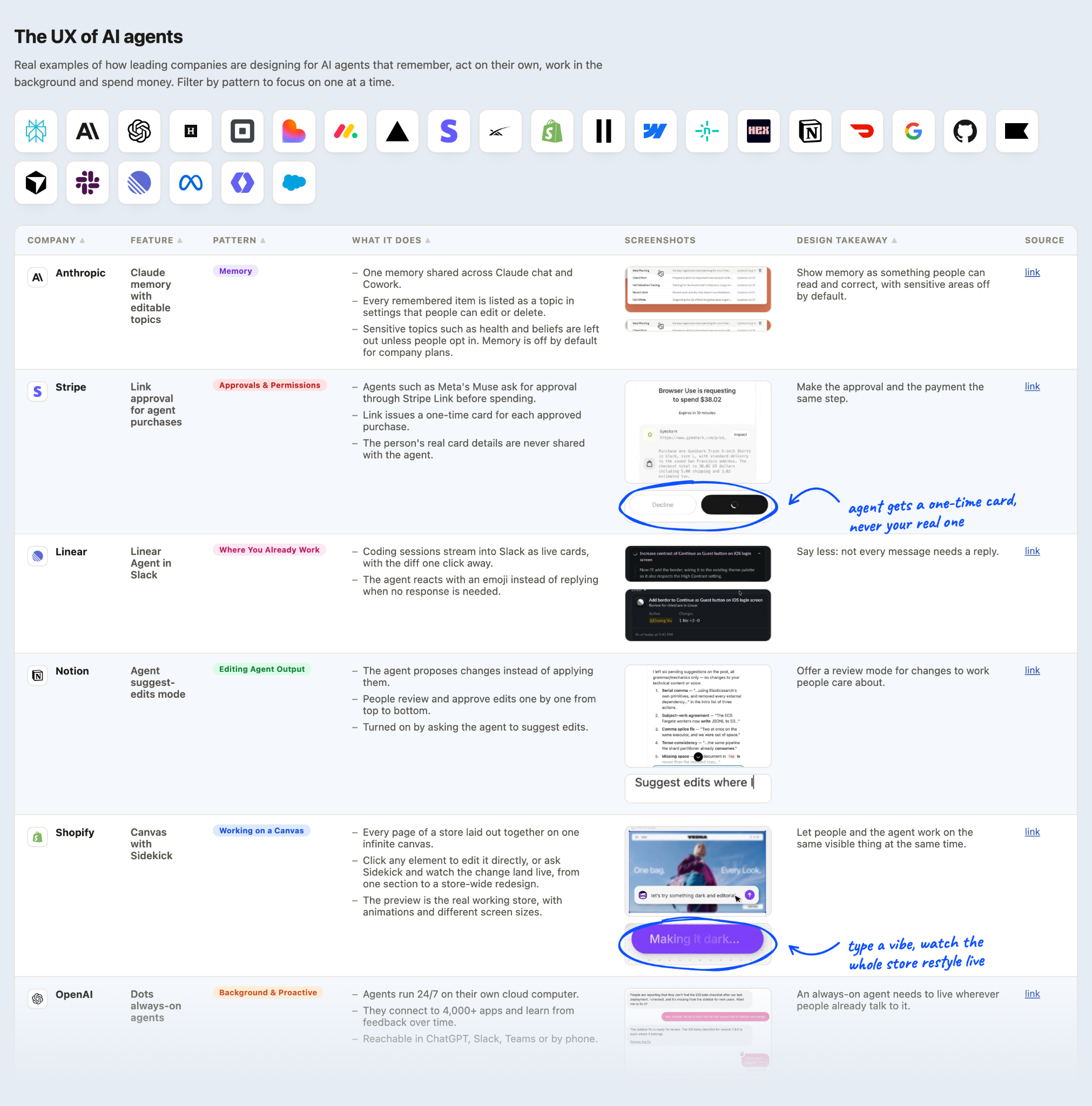
The 7 emergent patterns in AI Agent UX explained
The analysis is split into 7 core emerging patterns, with real world UI examples for each one. The 7 patterns include:
Memory you can see and edit - memory is becoming increasingly important for users to understand and it’s moving from a hidden feature to something people can read, correct and switch off.
Approvals before acting - permission prompts are now becoming risk graded rather than agents asking for permission every time. Perplexity lets people set each connected tool to Allow, Always ask or Deny. We’ll explore other examples together.
Working on a canvas - the agent works on the thing you can see as a collaborator, not a chat window beside it.
Editing output without a prompt - for intricate use cases, users are given the ability to edit the output by hand, without further prompting
Background and proactive agents - agents that work while you’re away in the background, surfacing anything you might need to know, whenever you need it.
Visibility and control - products show what the agent is doing, seeing or spending with clear audit trails that can be viewed at any time.
Agents where you already work - agents are embedded inside Slack, email and SaaS boards as team mates. Linear’s agent streams its coding sessions into Slack as live cards, for example.
1. Memory you can see and edit
Memory is what lets an AI agent carry information from one conversation to the next. Without it, a chat would need to start from scratch each time but with it, an agent can keep a running record of what it has learned and draw upon that in future tasks.