
🔒 The Knowledge Series breaks down emerging AI technologies with practical playbooks designed specifically for product teams. Get 100+ guides and practical tutorials covering everything from Claude Code and MCP to agentic workflows, vibe coding, and more.
Compliance startup Vanta’s CEO recently announced the launch of a new Computer Use feature in response to what she describes as “one of our biggest requests”:

The company’s product teams found that after analysing user behavior, users were manually uploading screenshots to their agent of third party vendors, something that their official API didn’t support.
Now, the new computer use powered agent lets users give it a URL of a vendor to check and the agent will handle the rest:
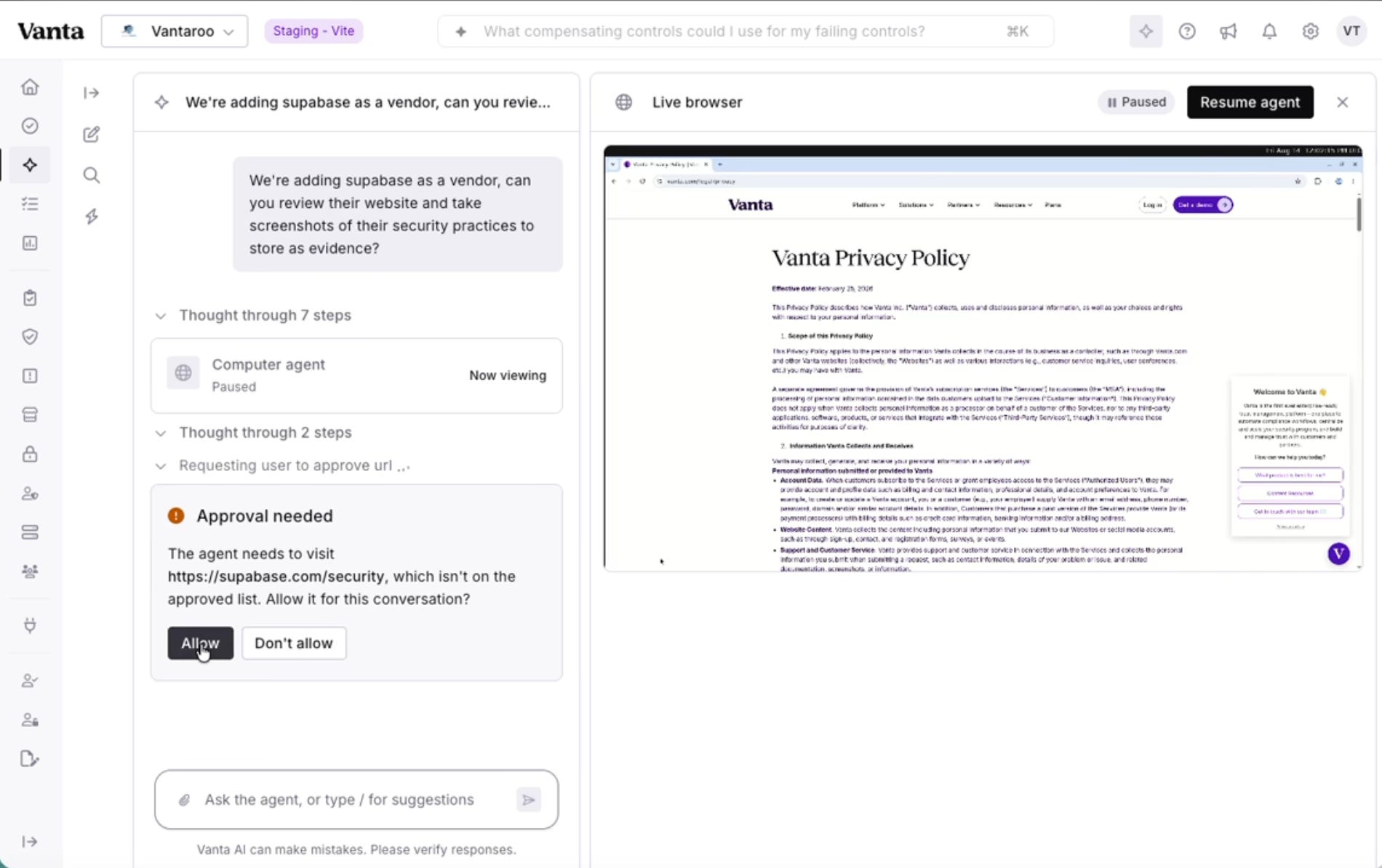
The Vanta agent asks for permission from the user, spins up a live browser to visit the company website, captures screenshots and records a full audit of that company that can then be used as part of their compliance assessment.
For product teams, this is a neat example of how the latest AI models can be used to build powerful new features and workflows that solve real problems.
In recent months, computer use abilities have continued to rapidly evolve; Claude desktop now has computer use capabilities, Google Deepmind shipped computer use in Gemini Flash in June and last month, OpenAI revealed computer use capabilities for ChatGPT on desktop too.
Many of these are frontier AI companies shipping computer use functionality designed to be used inside their own tools but as we can see with the recent Vanta example, product teams at SaaS companies are also now starting to experiment with integrating these abilities into core products to ship powerful new workflows that plug the gaps not served by APIs.
In this Knowledge Series, we’ll take a closer look at the latest computer use abilities, how they work, the key terminology worth knowing, together with some real world examples from leading companies.
Coming up:
Computer use explained - how does it work and what can the latest models actually do?
Real world applications of computer use in products - practical examples from Google, Linear and others in more depth
Opportunities for product teams to consider - ideas and frameworks for how and when product teams can incorporate these new technologies to build powerful new features

Computer Use Abilities Explained
“Computer use” is a broad term that describes a system or agent that can see a user’s screen (usually through screenshots) and act upon it in the same way a user might do: clicking, typing, scrolling, and navigating.
This has both its upsides and downsides which we’ll come onto later, but the ability to do this inside products through computer use APIs has started to spur product teams to embed some creative new workflows into their products.
A snapshot of where we’re at right now
All of the major AI frontier companies now offer computer use capabilities.
Anthropic added computer use to Claude as a research preview back in March this year, letting users open files and navigate autonomously which was later integrated with Dispatch.
Google shipped computer use in Gemini Flash in June which lets the model see and interact with screens, together with API access through the Gemini API.
And OpenAI recently added computer use to its newly refreshed ChatGPT desktop app on MacOS and Windows in July, with a Chrome integration and multi-step tasks.
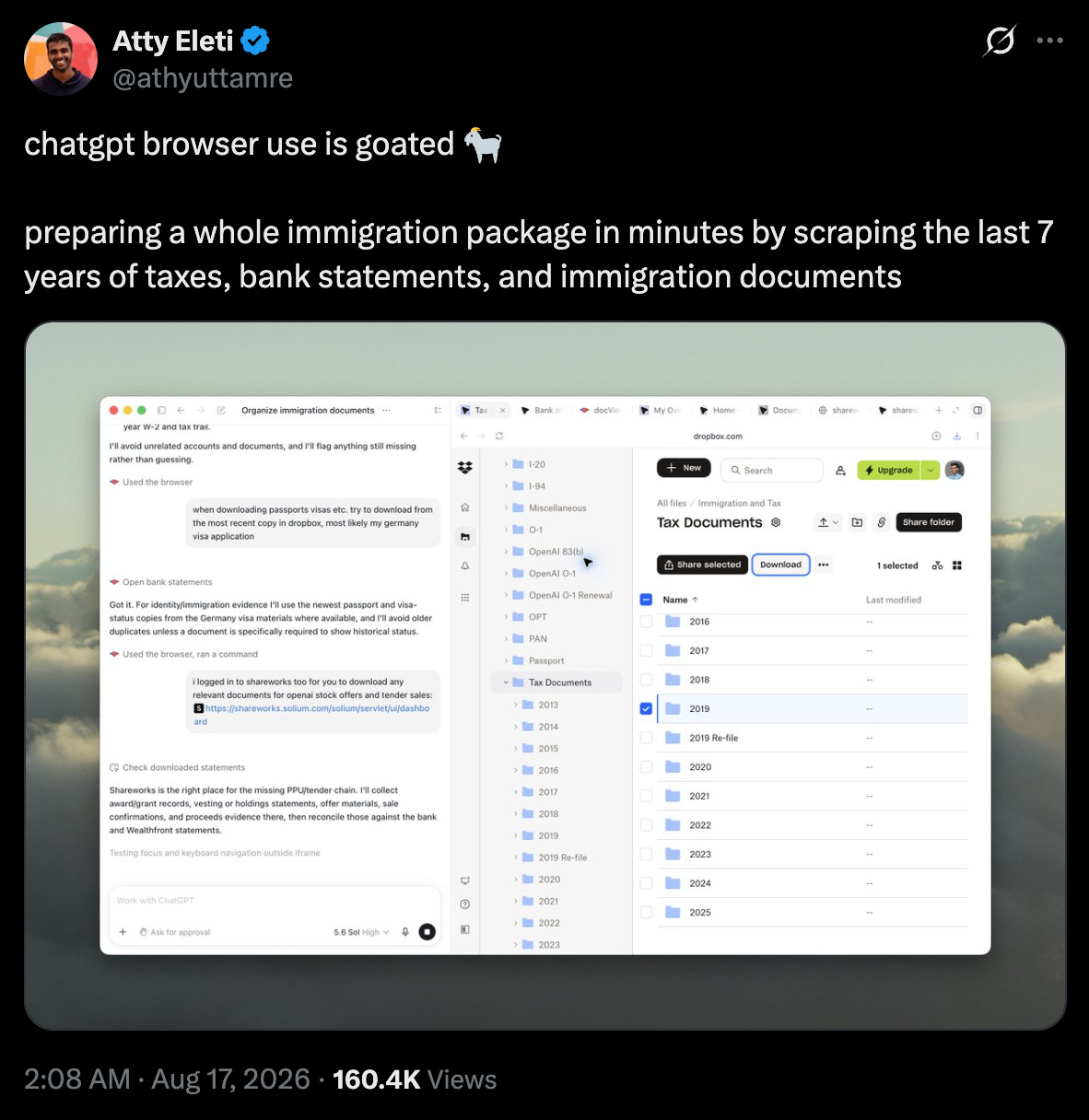
Since it’s release, OpenAI flexed its ability to cope with longer, complex workflows including this example from an OpenAI engineer of processing seven years of tax returns and immigration documents to complete an immigration package application:
How are Computer Use abilities benchmarked and how well do the models perform?
The most widely used benchmark for computer use is OSWorld and more recently, OSWorld 2. The original OSWorld was centered around 369 tasks averaging ~30 steps each and the new version of the benchmark is a smaller but much deeper set.
It includes over 100 different long horizon workflows, requiring an average of 318 tools which would take a human around 1.6 hours to complete.